9 Best Backlink Monitoring Tools for SEO Agencies & Link Builders in 2026
If you pay for backlinks or earn them through outreach, the biggest risk comes after the link goes live. 2 or 3 months later, a site owner can quietly delete your niche edit or guest post link, or switch it to nofollow or noindex.
The best backlink monitoring tools like Uprankly (Link Monitor), Linkody, Backlink Manager, etc. recheck each earned link on a schedule and alert you as soon as backlink status changes.
Key Takeaways
- A backlink monitoring tool rechecks your links and alerts you when they’re removed, nofollowed or noindexed.
- Uprankly, Linkody, Monitolink and LinkChecker.pro check links daily, while Ahrefs and Semrush rely on crawls.
- Choose a backlink monitoring tool based on check frequency, change detection, alerts, recovery support and pricing.
I reviewed 30+ backlink monitoring tools, compared them side by side, and narrowed the list down to the 9 that are most useful for protecting your links.
Best Backlink Monitoring Tools for SEO Agencies & Link Builders Comparison at a Glance
The table below compares all 9 monitor backlinks tools side by side. For each one, you can see who it suits, how often it checks your links, whether it helps recover lost links and its starting price.
| Tool | Best For | Check Frequency | Recovery Support | Starting Price |
| Uprankly (Link Monitor) | SEO agencies, link builders | Daily, every 3 days or weekly | Contact finder + recovery emails | $19 one-time |
| Linkody | Small agencies, freelancers | Daily | No | $14.90/mo |
| Monitolink | SEO agencies, in-house teams | Daily | Contact finder + recovery emails | Free Trial, $29/mo |
| Backlink Manager | Link builders, SEO agencies | Customizable (Pro) | No | $39/mo |
| Monitor Backlinks (SEOptimer) | Small businesses, SEO beginners | Weekly or monthly alerts | No | $39/mo |
| SE Ranking | In-house SEO teams | Weekly | No | $103.20/mo |
| LinkChecker.pro | Teams buying links | Daily | No | $25/mo |
| Ahrefs | SEO agencies, enterprises | Based on Ahrefs’ crawl | No | $129/mo |
| Semrush | Marketing teams | Based on Semrush’s crawl | No | $139.95/mo |
How I Evaluated These Tools to Monitor Backlinks
I evaluated these backlink monitoring tools on 6 points: link import, check frequency, change detection, alerts, recovery support and pricing.
Here are the 6 points I used to judge every tool on this list:
- Link import: A monitor is only useful if your backlinks get into it fast. Tools that scan your domain or import from Ahrefs, Semrush, GSC or a CSV save hours of manual entry.
- Check frequency: The longer a lost link goes unnoticed, the more ranking value you lose. Daily or per-link schedules catch problems sooner than tools that rely on slow crawls.
- Change detection: A link can stay on the page and still lose its value. The best tools flag removals, nofollow switches, anchor changes, noindex tags and 404 errors, not just whether the link exists.
- Alerts: Data only helps if you see it in time. Email alerts and digests mean you don’t have to log in every day to spot a lost link.
- Recovery support: Finding a lost link is half the job. Tools that find the site owner’s contact or send recovery emails make it easier to win the link back.
- Pricing: Monitoring is an ongoing cost, so link limits, plan prices and free trials all matter for small teams and agencies.
What are the Best Backlink Monitoring Tools for SEO Agencies?
The best backlink monitoring software for SEO agencies are Uprankly, Linkody, Monitolink, Backlink Manager, Monitor Backlinks, SE Ranking, LinkChecker.pro, Ahrefs and Semrush.
1. Uprankly
Best for: SEO agencies, link building freelancers and in-house teams
Pricing: Link Monitor Pro Lite $19 (one-time), Lifetime Deal $199 (one-time)
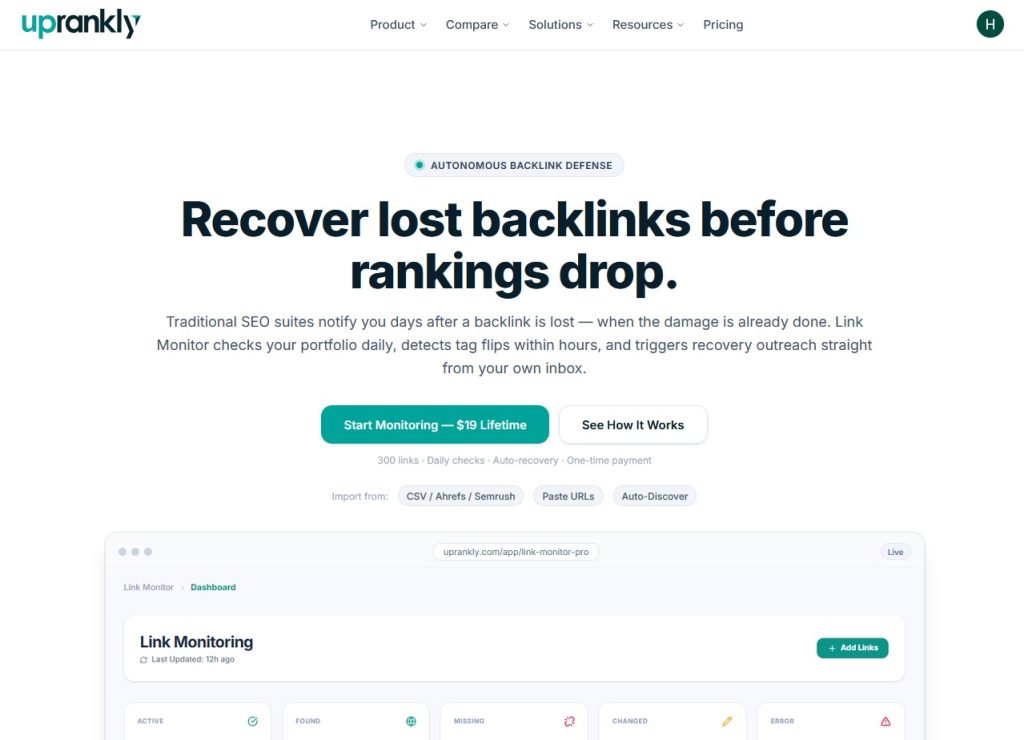
Uprankly is a link building tool that has a built-in Link Monitor which is a backlink monitoring tool. Link Monitor catches removals, redirects, nofollow changes, and broken links before they affect your rankings.
When a link drops, the tool finds the site owner’s contact and sends recovery emails automatically. Timed follow-ups run until the link is restored.
Key Features
- Live Link Status Monitoring: Track every placed backlink in real time and instantly see whether it’s live, pending, or has silently changed status, before it can impact your rankings.
- Link removal & redirect detection: Automatically catch when a linking page is deleted, moved, or redirected, so you know exactly which assets just lost authority.
- Dofollow → nofollow change tracking: See the moment a valuable dofollow turns into a nofollow, and trigger recovery before you lose the SEO value you paid for.
- Anchor text & content change monitoring: Detect when the surrounding copy or anchor text shifts, helping you protect topical relevance and keep your links aligned with target keywords.
- HTTP errors & downtime alerts: Get notified when linking pages throw errors or go down, so you can react faster than your rankings can drop.
- Contact enrichment: As soon as a link drops, Link Monitor finds up-to-date contact details for the site owner or editor, no manual prospecting required.
- Personalized recovery emails from your SMTP: Recovery messages are sent from your own email infrastructure, preserving deliverability and making every outreach feel like a 1:1 conversation.
- Timed follow-up sequences: Prebuilt follow-up logic keeps nudging webmasters until they respond, giving you an autonomous recovery engine that runs in the background.
Pros
- Auto-discovers backlinks from your domain, so there’s no manual list to build
- Per-link check frequency, from daily to weekly
- Recovery emails sent from the same panel as the alert
- Built for tracking paid and guest post placements using Uprankly Link Builder
- One-time pricing instead of a monthly subscription
Cons
- Contact enrichment costs extra credits (3 per contact)
- Monitoring slots are capped by plan
- Newer tool with fewer third-party reviews
How to Monitor Backlinks with Uprankly
- Go to Link Monitor and select Add Links. Choose a project first if you manage links for more than one client.
- Pick an import method. Scan Backlinks finds links to your domain automatically. You can also upload a CSV exported from Ahrefs, Semrush or Google Search Console, or enter links by hand.
- Run the scan. Type your domain and click Analyze. Uprankly shows your Domain Rating, referring domains and total backlinks before anything is added.
- Choose how many links to monitor. Set the number of backlinks to fetch, then click Scan & Add to Monitoring. My scan of 500 backlinks used 1 credit.
- Set the check frequency. Each link can be checked daily, every 3 days or weekly.
- Watch the dashboard. The Active, Missing, Changed and Error counts update after every check, and alerts flag any link that drops or changes.
- Recover lost links. Open a flagged link, enrich the site owner’s contact and send a recovery email from the link panel.
Setup and Learning Curve: Easy. A domain scan adds hundreds of backlinks to monitoring in a few minutes, and every status shows on one dashboard.
Find sites that link to your competitors but not to you with Uprankly Link Planner, a free competitor backlink analysis tool.
2. Linkody
Best for: Small agencies, freelancers and businesses
Pricing: Webmaster $14.90/mo, Advanced $24.90, Pro $49.90, Agency $99.90, Agency XL $153.90.
Linkody checks every backlink once a day with its own bots and finds new links to your site automatically.
When a link is removed, turns nofollow or loses the anchor you agreed on, it sends you an email alert. It also warns you when a backlink points to a 404 page on your site, so you can fix it before the link value is lost.
Key Features
- Basic Link Status: See if a link is active or lost.
- Automated 24/7 Monitoring: Continuously tracks backlinks. Sends automated email reports and notifications for link status changes (e.g., deleted, nofollow).
- Link Visualizer: Visually shows the exact location of a backlink on a source page.
- Landing Page Monitoring: Tracks landing pages for 404 errors to help recover lost “link juice”.
Pros
- Low entry price for a dedicated monitor
- Every link is rechecked daily by Linkody’s own bots
- Email alert when a negotiated anchor, follow status or target page changes
- Long 30-day free trial
Cons
- No built-in recovery outreach, so emails to site owners happen outside the tool
- No contact finder for site owners
- Bigger link volumes need the higher Agency plans
How to Monitor Backlinks with Linkody
- Add your domain. From the Home screen, click Add Domain. Linkody starts finding backlinks to your site on its own.
- Add links it hasn’t found. Click ADD LINKS to enter a single link, paste several at once, or import a CSV.
- Use a CSV for negotiated links. Import from Linkody’s format, Google Search Console, Ahrefs or Moz. The CSV lets you set the expected anchor, landing page and follow status for each link.
- Keep status alerts on. “Report status changes” is on by default, so you get an email when a link’s status changes.
- Review the Links Report. Filter by status to find lost links.
- Watch your landing pages. Linkody alerts you when backlinks point to a 404 page on your site, so you can redirect it.
Setup and Learning Curve: Easy. Adding a domain starts automatic link discovery, and the CSV import handles bulk links in one step.
3. Monitolink
Best for: SEO agencies, in-house teams and SEO professionals
Pricing: Free Trial, Starter $29/mo, Pro $79/mo, Agency $149/mo.
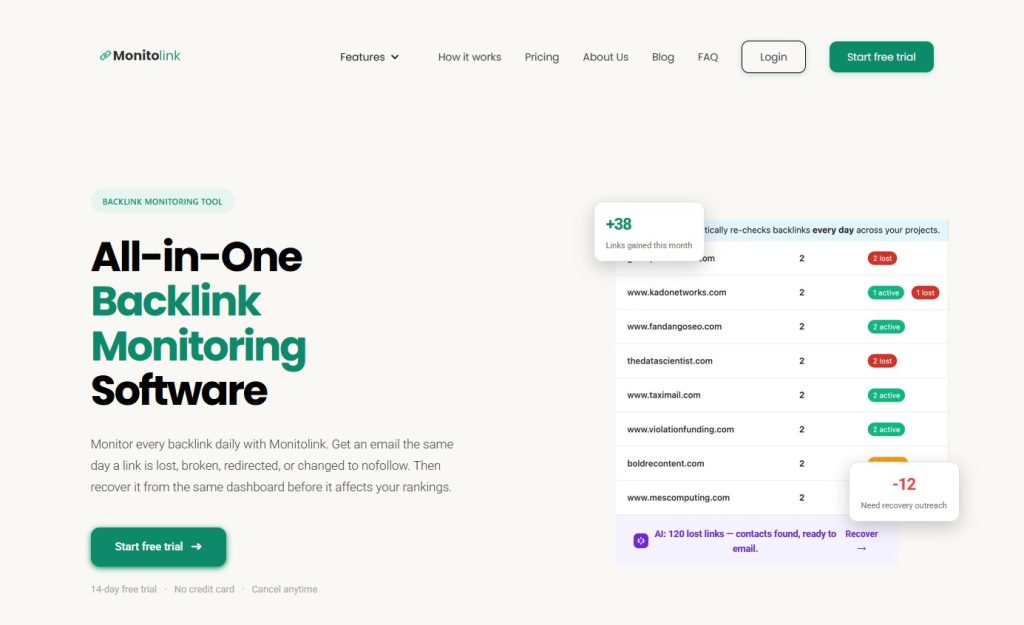
Monitolink is a backlink monitor software and recovery tool that tracks your links 24/7. It stands out from most monitoring tools by combining real-time alerts with built-in link-recovery outreach, letting you act on lost links directly from the dashboard without switching tools.
Key Features
- Backlink Profile Overview: A centralized dashboard showing all backlinks with live status labels (active, lost, or broken) along with link attributes like rel tags and spam filters.
- Link Status Tracking: Identifies lost links (removed or unresponsive) and broken links (404s, server errors) in real time, eliminating the need for manual spreadsheet tracking.
- CSV Import: Bulk-import your existing backlink data from tools like Ahrefs, Semrush, or Google Search Console to get started immediately.
- 24/7 Real-Time Monitoring & Alerts: Continuously tracks backlinks and sends same-day notifications when a link is lost, changed, or deindexed, far faster than the weekly refreshes typical of larger platforms.
- Built-In Link Recovery Outreach: The standout feature. Select any lost link in your dashboard, extract the site owner’s contact email in one click, and send a pre-defined recovery email without leaving the platform.
Pros
- Daily rechecks for every link
- Recovery email sent straight from the lost link
- Flags deindexed links, not just removed ones
- Free 14-day trial with no card
Cons
- Recovery emails use pre-defined templates, so each one needs editing to feel personal
- Full features on the free plan last only for the trial period
- New tool in 2026, so there are few independent reviews
How to Monitor Backlinks with Monitolink
- Enter your domain. Sign up and add the website you want to track.
- Load your backlinks. Import a CSV from Ahrefs, Semrush or Google Search Console, or pull links from Monitolink’s own index.
- Let the daily checks run. Every link is rechecked every 24 hours and shown in one table with a clear status.
- Filter for problems. Look for links marked lost, broken, changed or deindexed.
- Recover a lost link. Select it, pull the site owner’s email in one click and send a recovery email from the dashboard.
Setup and Learning Curve: Easy. A CSV import or index pull loads your links in minutes, and the status table is simple to read.
4. Backlink Manager
Best for: Link builders, SEO agencies and SEO professionals
Pricing: Starter $39/mo, Growth $99, Scale $249, Enterprise $499.
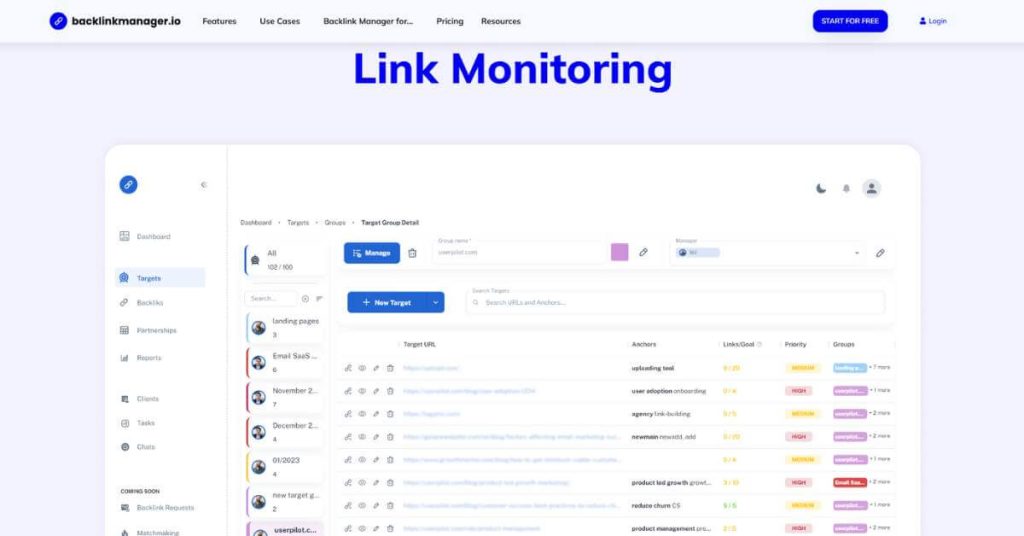
Backlink Manager tracks the backlinks you build through campaigns and link exchanges, so you don’t have to check them by hand in a spreadsheet. It watches each link for removals or 404 errors and dofollow-to-nofollow changes, and alerts you when one changes. You can group links by client or campaign, and the free plan covers a small set of links to start.
Key Features
- Basic Link Tracking: Monitor a limited number of links (e.g., up to 200).
- Link Status Updates: Provides notifications if link status changes (dofollow to nofollow, 404 error, or removal).
- Larger Link Capacity: Monitor thousands of backlinks (10,000+ with higher plans).
- Automated Monitoring & Alerts: More frequent, customizable monitoring with automated email alerts for new/lost links or status changes.
Pros
- Free plan to track your first links
- Alerts for removals, 404s and nofollow changes
- Scales to 10,000+ links on higher plans
- Built for links from campaigns and link exchanges
Cons
- No built-in recovery outreach
- No contact finder for site owners
- Free plan covers only a small number of links
How to Monitor Backlinks with Backlink Manager
- Create an account. The free plan lets you start tracking a small number of links.
- Add the backlinks you’ve built. Enter each placement’s source page and the target URL on your site.
- Group links by target. Put links into target groups, such as a client or campaign, so they’re easy to review.
- Turn on alerts. Get notified when a link is removed, returns a 404 or changes from dofollow to nofollow.
- Review changes. Check flagged links and contact the site owner about any that dropped.
Setup and Learning Curve: Easy. Adding links and grouping them by target takes a few minutes, and status changes show up on the dashboard.
5. Monitor Backlinks (SEOptimer)
Best for: Small businesses and new SEO specialists
Pricing: Pro $39/mo, Max $59/mo
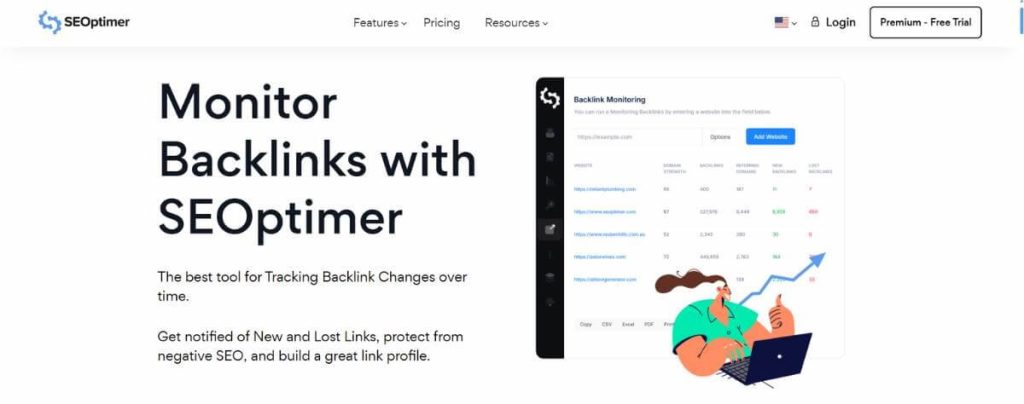
Monitor Backlinks was a standalone tool that SEOptimer bought and built into its platform. You add your site, and it tracks new and lost backlinks over time on a Backlink Change Dashboard. Changes come to your inbox as email digests, and a Lost backlinks tab lists the links you need to win back.
Key Features
- Backlink Profile Overview: High-level summary of total backlinks, referring domains, and new/lost link trends.
- Basic Link Details: Information on link type (text/image) and dofollow/nofollow attributes.
- Automated Email Alerts: Immediate notifications for new/lost backlinks or link attribute changes.
- Negative SEO Attack Detection: Quickly spot suspicious activity (e.g., influx of spammy links) by sorting new links by domain strength.
- Lost Link Recovery: Track and receive alerts for lost links, allowing contact with site owners for reinstatement.
Pros
- Simple dashboard built for beginners
- Separate tabs for new and lost backlinks
- Tracks link attribute changes, not just removals
- Spots sudden spikes of spammy links
Cons
- Backlink monitoring is only on the White Label plans, not the $29 DIY plan
- You monitor a whole site, not a list of specific links you placed
- No built-in recovery emails or contact finder
How to Monitor Backlinks with Monitor Backlinks
- Open Backlink Monitoring. It’s in the left menu of your SEOptimer dashboard.
- Add your site. Enter the URL you want to monitor.
- Schedule your alerts. Choose a weekly or monthly email digest of backlink changes.
- Check new links. Open the New Backlinks tab and sort by domain strength to spot spammy links early.
- Review lost links. Open the Lost backlinks tab, then contact the site owners of valuable links that dropped.
Setup and Learning Curve: Easy. Add your URL, pick an alert schedule, and the dashboard fills in on its own.
6. SE Ranking
Best for: SEO agencies and in-house SEO teams
Pricing: Core $103.20/mo, Growth $223.30
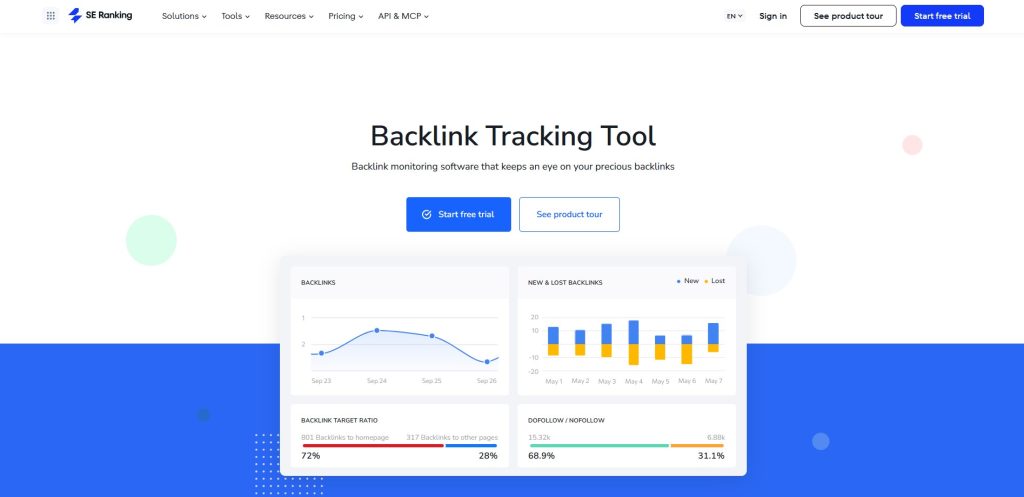
SE Ranking is an SEO and GEO platform with a Backlink Monitor built in. Every backlink you earned is rechecked automatically once a week, and each check records whether the link is still found, its anchor text and its Google index status. Links can be added by hand, from a TXT or CSV file, or imported from Google Search Console.
Key Features
- Backlink Monitor: Push any backlink to weekly status tracking. Get notified when a link is lost or changes attributes, with Google indexation status tracked alongside.
- Backlink Attributes: Link type (text, image), anchor text, and attributes (follow, nofollow, sponsored, UGC).
- Broken Link Detection: Find broken backlinks and reclaim link equity before it’s lost.
- Dynamics Tracking: Trends for new and lost referring domains and backlinks over 7 days to 12 months.
- Google Search Console Integration: Import backlinks from GSC straight into the Backlink Monitor.
Pros
- Weekly rechecks run without manual work
- Google index status shown for every monitored link
- New backlinks flow in from GSC automatically
- Rank tracking and site audits in the same plan
Cons
- Checks run weekly, not daily
- No built-in recovery emails to site owners
- Prices rose when the plans changed to Core and Growth in 2026
How to Monitor Backlinks with SE Ranking
- Create a project. Add your website under Projects.
- Open Backlink Monitoring. Find it in the left sidebar of your project.
- Add your backlinks. Enter them manually, upload a TXT or CSV file, or connect Google Search Console to import them.
- Turn on auto-import. Let SE Ranking load new backlinks from Google Search Console automatically.
- Wait for the first check. Each link shows its status once SE Ranking finishes collecting data.
- Filter for broken or lost links. Use the broken filter to see links that no longer work, then fix or follow up.
Setup and Learning Curve: Easy. Creating a project and importing backlinks takes a few minutes, and the broken filter is easy to find.
7. LinkChecker.pro
Best for: Link builders, SEO agencies and teams that buy links
Pricing: Lite $25/mo, Standard $50/mo, Pro $100/mo
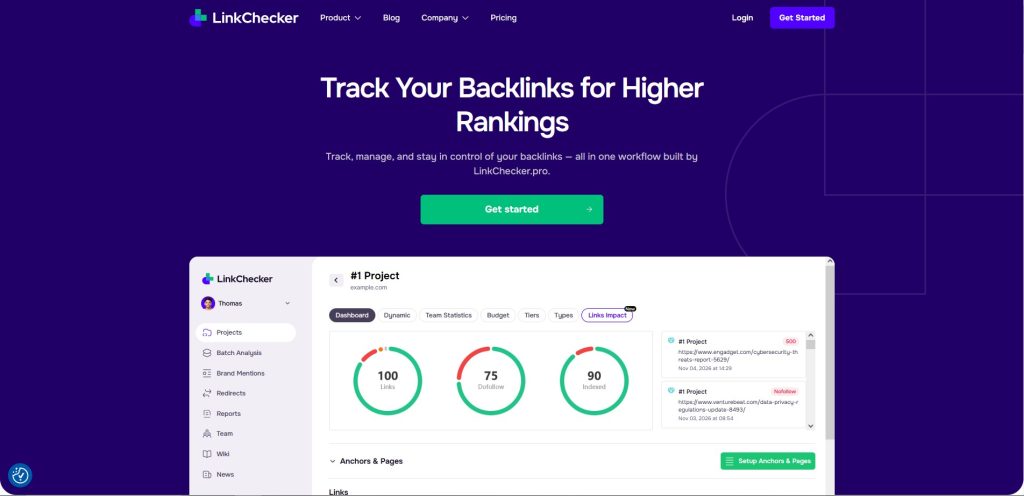
LinkChecker.pro runs a daily status check on every backlink in your project. It confirms each link is still on the page, still dofollow and still indexed, with a separate Google index scan every 5 days.
LinkChecker.pro also catches technical issues like noindex tags, robots.txt blocks and canonical changes that quietly cancel a link’s value. When a placement drops, you will get an alert and a report you can use to request a fix, a replacement or a refund.
Key Features
- Daily link status checks: Confirms each backlink is still found on the page.
- Rel attribute tracking: Flags links that change to nofollow, sponsored or UGC.
- Google index checks: Scans every 5 days to confirm the linking page is still indexed.
- Indexability issues: Detects robots meta noindex tags, robots.txt blocks and canonical tags that hurt a link’s value.
- DMCA and redirect monitoring: Catches pages removed from search results and broken redirects.
- Outgoing link changes: Spots new links added to the page, including unauthorized insertions.
- Instant alerts and reports: Notifies you about deletions, indexing problems and quality drops.
- Free Chrome extension: Checks link status and indexing right from your browser.
Pros
- Daily checks plus a separate Google index scan
- Catches noindex, canonical and robots.txt issues most tools miss
- Team roles and link builder performance tracking
Cons
- No built-in recovery emails to site owners
- Lite plan covers only 400 backlinks
- No free trial mentioned on the website
How to Monitor Backlinks with LinkChecker.pro
- Create a project. Set one up for each website or client.
- Add your placements. Import the backlinks you’ve built or bought into the project.
- Let the daily checks run. Each link is checked every day, and its index status is checked every 5 days.
- Review the alerts. Look for deleted links, nofollow changes, noindex tags and indexing failures.
- Act on lost links. Contact the site owner to restore or replace the link, or request a refund for a paid placement.
Setup and Learning Curve: Easy. Create a project, add your placements, and the daily checks start on their own.
8. Ahrefs
Best for: SEO agencies, link builders and in-house SEO teams
Pricing: Lite $129/mo, Standard $249/mo, Advanced $449/mo
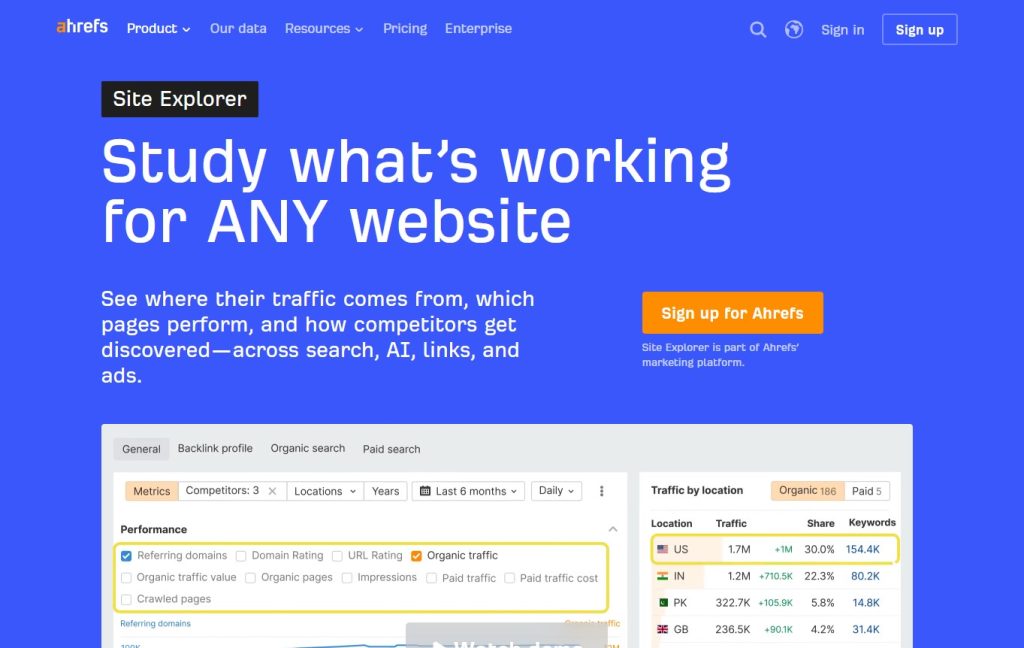
Ahrefs crawls the web nonstop and records every link it finds pointing to your site. Site Explorer shows when each backlink was first seen and when it was lost, and Ahrefs Alerts emails you when your domain, a subfolder or a single URL gains or loses links.
Key Features
- Backlink alerts: Emails you when your site gains or loses backlinks, on the interval you choose.
- Lost backlinks report: Lists removed links with the date each one was lost.
- New backlinks report: Shows links Ahrefs found recently, so you can confirm new placements.
- Broken backlinks report: Flags links pointing to pages on your site that return errors.
- Flexible scope: Tracks a domain, subdomain, subfolder or single URL.
Pros
- One of the largest backlink databases
- Alerts for both new and lost links
- Free for your own sites through Ahrefs Webmaster Tools
- Monitors any domain, including competitors
Cons
- Works from its own crawl data, so you can’t add specific links and have them rechecked on a daily or weekly schedule
- Lost links show up only after Ahrefs recrawls the page, which can take time
- No recovery outreach or contact finder
How to Monitor Backlinks with Ahrefs
- Open Ahrefs Alerts. Select the Backlinks alert type.
- Enter your domain or URL. You can track a whole domain, a subdomain, a subfolder or one page.
- Set the scope to lost backlinks. This sends you links that sites have removed.
- Pick an interval and click Add. Ahrefs emails you a summary on that schedule.
- Review lost links in Site Explorer. Open the Backlinks report and filter by Lost to see each removed link and its date.
Setup and Learning Curve: Easy for alerts. Setting up a backlink alert takes a minute, but the full Site Explorer has many reports to learn.
9. Semrush
Best for: SEO agencies, marketing teams and in-house SEOs
Pricing: Pro plan from $139.95/mo, with a 7-day free trial.
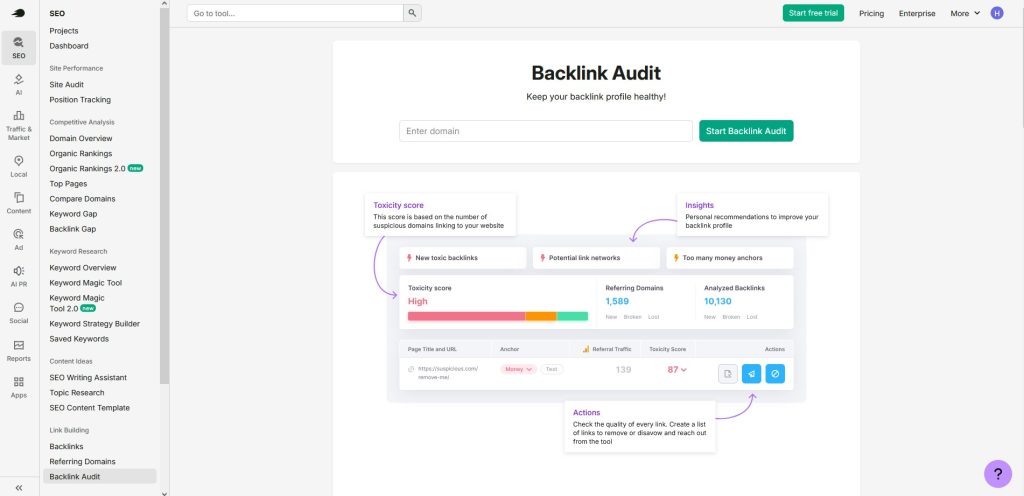
Already paying for Semrush? Its backlink tools track how your link profile changes over time. Backlink Analytics separates new and lost links, and Backlink Audit recrawls your profile so you can compare changes after each audit.
Key Features
- New and lost backlinks: Shows which links were added or removed, with dates.
- Backlink Audit recrawls: Compares your link profile over time and flags new and lost links.
- Broken pages filter: Shows pages on your site that return errors but still have backlinks.
- Referring domain trends: Charts how your number of linking domains grows or drops.
Pros
- Daily database updates
- Backlink data sits next to rank tracking and site audits
- Toxic link checks included
- 7-day free trial
Cons
- Works from its own crawl data, so you can’t add specific links and have them rechecked on your own schedule
- A link counts as lost only after Semrush’s bot can’t find it for 60 days
- No recovery emails or contact finder
How to Monitor Backlinks with Semrush
- Search your domain in Backlink Analytics. The overview shows your backlinks and referring domains.
- Switch to the Backlinks tab. Select New or Lost to see recent changes.
- Set up Backlink Audit. Create a project for your domain to track your link profile after each recrawl.
- Review the changes. Check lost links from valuable domains and reach out to the site owners.
Setup and Learning Curve: Moderate. Backlink Analytics runs in a minute, but setting up Backlink Audit and learning the wider suite takes longer.
What is the Difference between Backlink Monitoring and Backlink Tracking Tools?
The difference between backlink monitor tool and backlink tracking tools is: monitoring tools recheck the backlinks you created and alert you when status changes, while tracking tools record your website’s entire link profile from a crawler’s database.
| Aspect | Backlink Monitoring Tools | Backlink Tracking Tools |
| Main purpose | Protect specific links you’ve built | Record your whole link profile over time |
| How links are added | You add or import the links | Found by the tool’s crawler |
| Check method | Live recheck of each link | Updated when the crawler revisits the page |
| Check frequency | Daily, weekly or per-link schedule | Depends on the crawl cycle |
| What it catches | Removals, nofollow, anchor, noindex and 404 changes | New and lost links |
| Alert speed | Fast, often within a day | Slower, can take days or weeks |
| Recovery help | Some offer contact finding and recovery emails | Usually none |
| Best for | Paid, guest post and outreach links | Profile growth and competitor research |
| Examples | Uprankly, Linkody, LinkChecker.pro | Majestic, Moz Link Explorer |
FAQs
Which tool is more accurate for backlink tracking: Ahrefs, Semrush or Uprankly Link Monitor?
For links you place, Uprankly Link Monitor is more accurate as backlink health tracking, since it rechecks each link daily, every 3 days or weekly. Ahrefs and Semrush depend on their crawlers, and Semrush marks links lost only after 60 days.
What is the best budget or free alternative to Ahrefs/Semrush for backlink monitoring?
Ahrefs Webmaster Tools is free for your own verified sites. For dedicated monitoring, Uprankly Link Monitor costs $19 one-time, Linkody starts at $14.90/mo and Monitolink offers a free plan with a 14-day trial.
Which backlink monitoring tools send alerts when backlinks are removed?
Uprankly, Linkody, LinkChecker.pro and Monitolink alert you when a backlink is removed. Uprankly also finds the site owner’s contact and lets you send a recovery email from the same alert.
What are the cheapest backlink monitoring tools for small businesses?
Uprankly Link Monitor is the cheapest long-term option at $19 one-time, with no monthly fee. Linkody starts at $14.90/mo, LinkChecker.pro at $25/mo, and Monitolink has a free plan to start.
Which backlink monitoring tools offer the best value for money?
Uprankly offers the best value, with one-time pricing from $19 instead of a monthly fee and built-in recovery emails. Linkody is good value for daily checks, while Ahrefs and Semrush cost more but include full SEO suites.
Is there a backlink monitoring tool that offers competitor analysis?
Yes. Ahrefs and Semrush let you monitor any competitor’s new and lost backlinks. Linkody and Monitolink also track competitor links, while Uprankly’s Link Planner shows sites linking to competitors but not to you.
What’s Next?
Add your highest-value backlinks to monitoring first, then expand to the rest of your link profile.
The best backlink monitoring tool for you is the one that rechecks those links and alerts you before rankings drop, so test two options from this list on the same links.
If you want daily checks, change alerts and recovery emails in one place, scan your domain with Link Monitor from Uprankly.